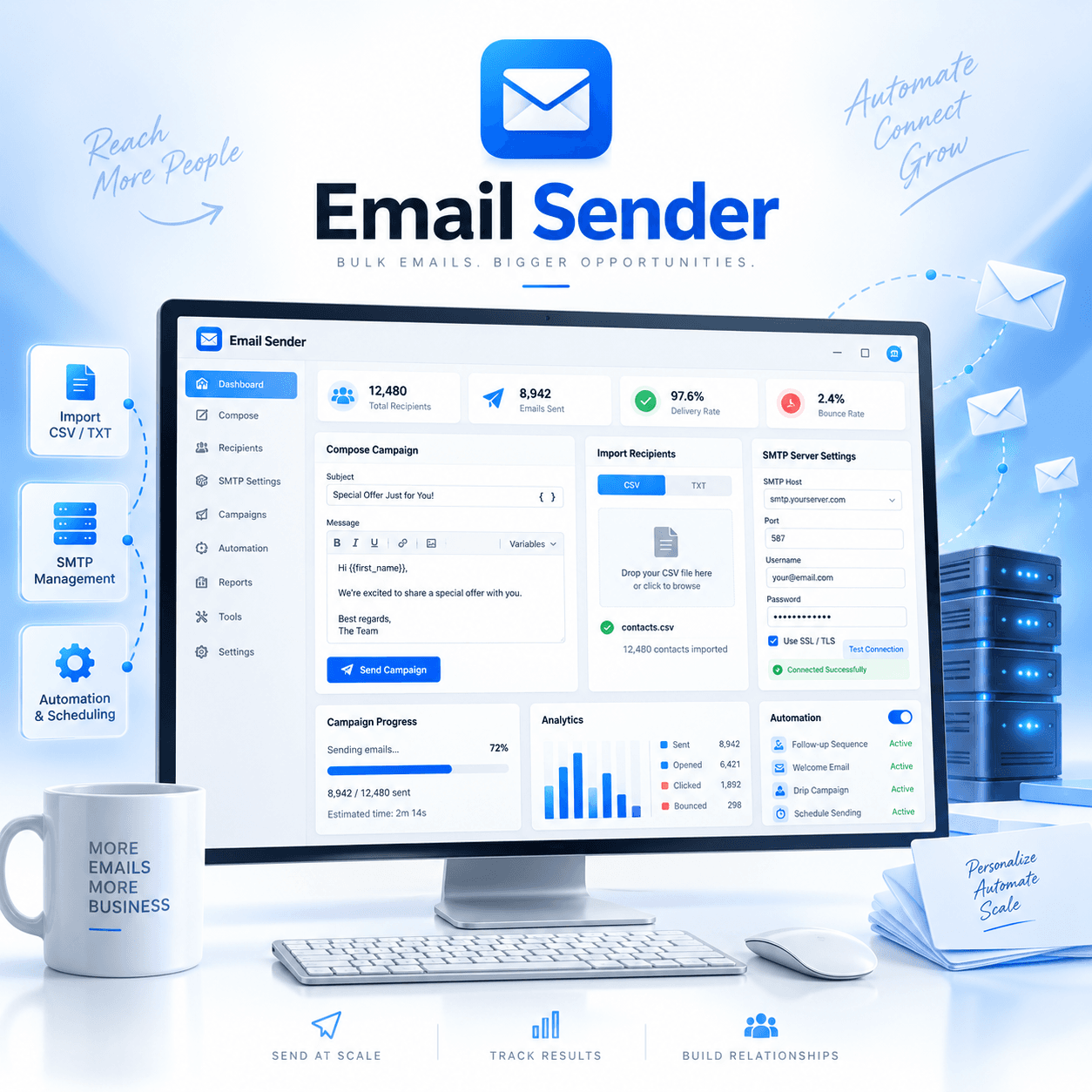
Email Sender
Email Sender is a powerful Windows desktop application designed to simplify and improve the way you manage email campaigns. Whether you’re handling newsletters, promotional messages, customer updates, or other email communications, Email Sender provides a flexible set of tools for creating, managing, and sending campaigns efficiently.
With bulk sending, SMTP management, mailing-list importing, campaign customization, email verification, reporting, and advanced sending controls, Email Sender brings essential email campaign features together in one convenient application.
Key Features
Streamlined Bulk Email Sending
Send emails to large contact lists without manually processing each message. Email Sender helps automate campaign delivery so you can spend more time preparing your content and managing your audience.
Easy Mailing List Import
Quickly import recipient lists from TXT and CSV files. This makes it easy to organize existing contact databases and prepare them for your campaigns.
Flexible Email Creation
Create customized email messages with support for text, formatted content, and attachments. Build campaigns that match different communication and promotional needs.
Advanced SMTP Management
Manage multiple SMTP server configurations directly within the application.
Email Sender also includes an integrated SMTP testing tool that allows you to verify your server configuration before starting a campaign.
Multiple Campaign Management
Create and manage multiple email campaigns with different configurations. Each campaign can use separate SMTP settings, giving you greater flexibility when organizing your email operations.
Detailed Campaign Reports
Review useful campaign information and sending activity to better understand campaign performance and identify potential delivery issues.
SMTP Rotation
Configure multiple SMTP servers and rotate between them during a campaign. This provides additional flexibility when managing different sending servers and email infrastructures.
Smart Email Verification
Verify email domains before sending to help identify potentially invalid recipient addresses.
This feature can be enabled or disabled from the application settings depending on your campaign requirements.
Customizable Sending Intervals
Control how frequently emails are sent.
You can configure time delays between individual emails, sending intervals after a selected number of emails, and custom timing rules for different campaigns.
These options give you greater control over campaign delivery speed.
SMTP Tester
Test SMTP server configurations directly inside Email Sender and confirm that the server settings are working correctly before launching a campaign.
Email Blacklist Management
Add and manage email addresses in a blacklist to prevent selected recipients from receiving future campaign messages.
Mailing List Filtering by Country
Organize and segment mailing lists according to the geographical location of contacts.
Country-based filtering can help you prepare more relevant campaigns for different regions and audiences.
Dynamic Variables
Insert dynamic variables into email templates to personalize campaign content for individual recipients.
This can be used for information such as names, contact details, or other available recipient data.
Pause and Resume Campaigns
Pause an active email campaign whenever necessary and resume it later without having to restart the entire process.
Reviews
There are no reviews yet.